Don't ignore me!: Self Service+ notifications are now natively managed on all devices.
Notifications for Jamf's Self Service+ application were only managed for devices enrolled after Jamf Pro 11.18, or via a custom profile. Jamf Pro 11.28.x version fixes this across your fleet
What’s new?
Hidden within the Jamf Pro 11.28 release notes there is a small entry that will bring a tear of joy to an admin’s eye:
[PI136028] Fixed: Jamf Pro does not install the Jamf Notifications profile to already‑managed computers after a Jamf Pro upgrade.
Initially I missed this nugget, and only looked into it as a result of a thread comment posted by Fraser on the MacAdmins Slack.
What does this mean?
When Jamf released Jamf Pro 11.18, they included a change that if you were already automatically installing a notification profile, this profile would then include management of the Self Service+ notifications, as well as the already included Self Service (classic).
The catch? This logic only applied to new enrolments hitting the Jamf Pro server after it was upgraded.
Already managed macOS devices then needed a custom profile to manage the Self Service+ notifications, to avoid prompts to end users.
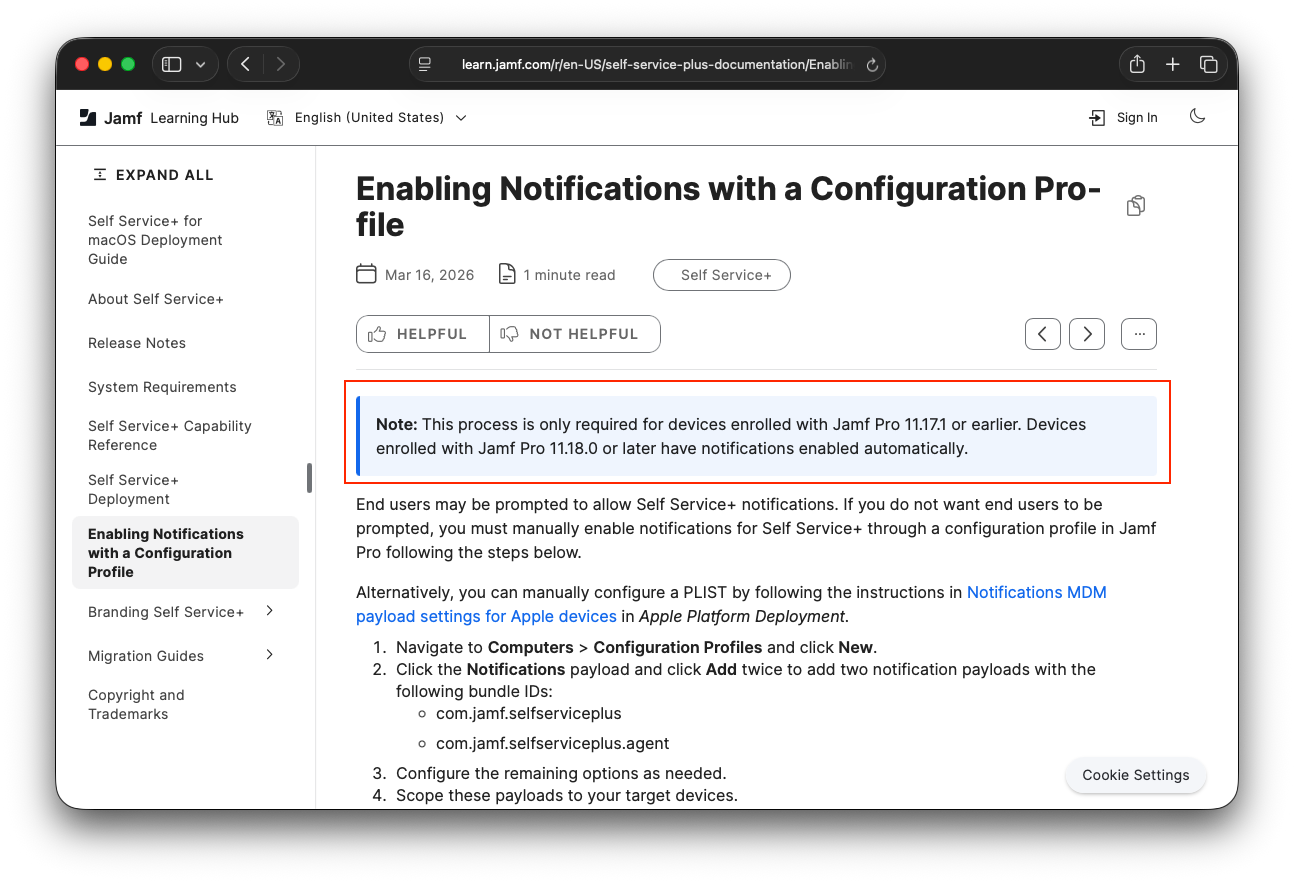
I’ve verified this on a device that was enrolled before 11.17.1, and has only the built in notifications profile enabled.
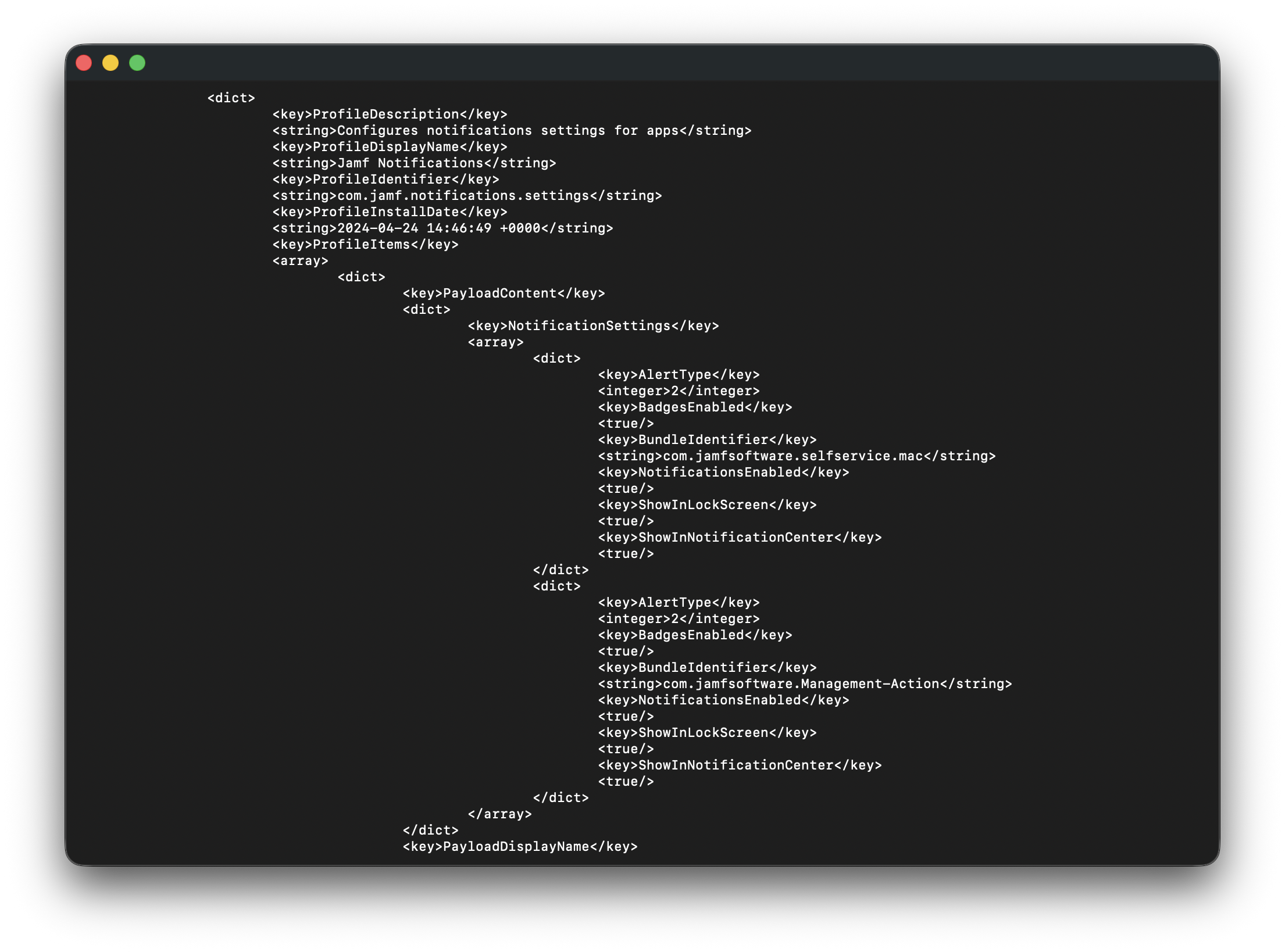
Taking a peek at the contents of the profile, this is what is contained:
1
2
3
4
5
6
7
8
9
10
11
12
13
14
15
16
17
18
19
20
21
22
23
24
25
26
27
28
29
30
31
32
33
34
35
36
37
38
39
40
41
42
43
...
    <key>ProfileIdentifier</key>
    <string>com.jamf.notifications.settings</string>
    <key>ProfileInstallDate</key>
    <string>2024-04-24 14:46:49 +0000</string>
    <key>ProfileItems</key>
    <array>
        <dict>
            <key>PayloadContent</key>
            <dict>
                <key>NotificationSettings</key>
                <array>
                    <dict>
                        <key>AlertType</key>
                        <integer>2</integer>
                        <key>BadgesEnabled</key>
                        <true/>
                        <key>BundleIdentifier</key>
                        <string>com.jamfsoftware.selfservice.mac</string>
                        <key>NotificationsEnabled</key>
                        <true/>
                        <key>ShowInLockScreen</key>
                        <true/>
                        <key>ShowInNotificationCenter</key>
                        <true/>
                    </dict>
                    <dict>
                        <key>AlertType</key>
                        <integer>2</integer>
                        <key>BadgesEnabled</key>
                        <true/>
                        <key>BundleIdentifier</key>
                        <string>com.jamfsoftware.Management-Action</string>
                        <key>NotificationsEnabled</key>
                        <true/>
                        <key>ShowInLockScreen</key>
                        <true/>
                        <key>ShowInNotificationCenter</key>
                        <true/>
                    </dict>
                </array>
            </dict>
...
I also verified there was no entry for anything Self Service+ related with a query of the managed notification plist file using a defaults command:
1
2
3
defaults read /Library/Managed\ Preferences/com.apple.notificationsettings.plist | grep -i jamf
            BundleIdentifier = "com.jamfsoftware.selfservice.mac";
            BundleIdentifier = "com.jamfsoftware.Management-Action";
So how does it update?
After the Jamf Pro console has updated to 11.28.x and the Jamf Binary has updated on the device, I noticed there was a management command queued up to install the notifications profile.
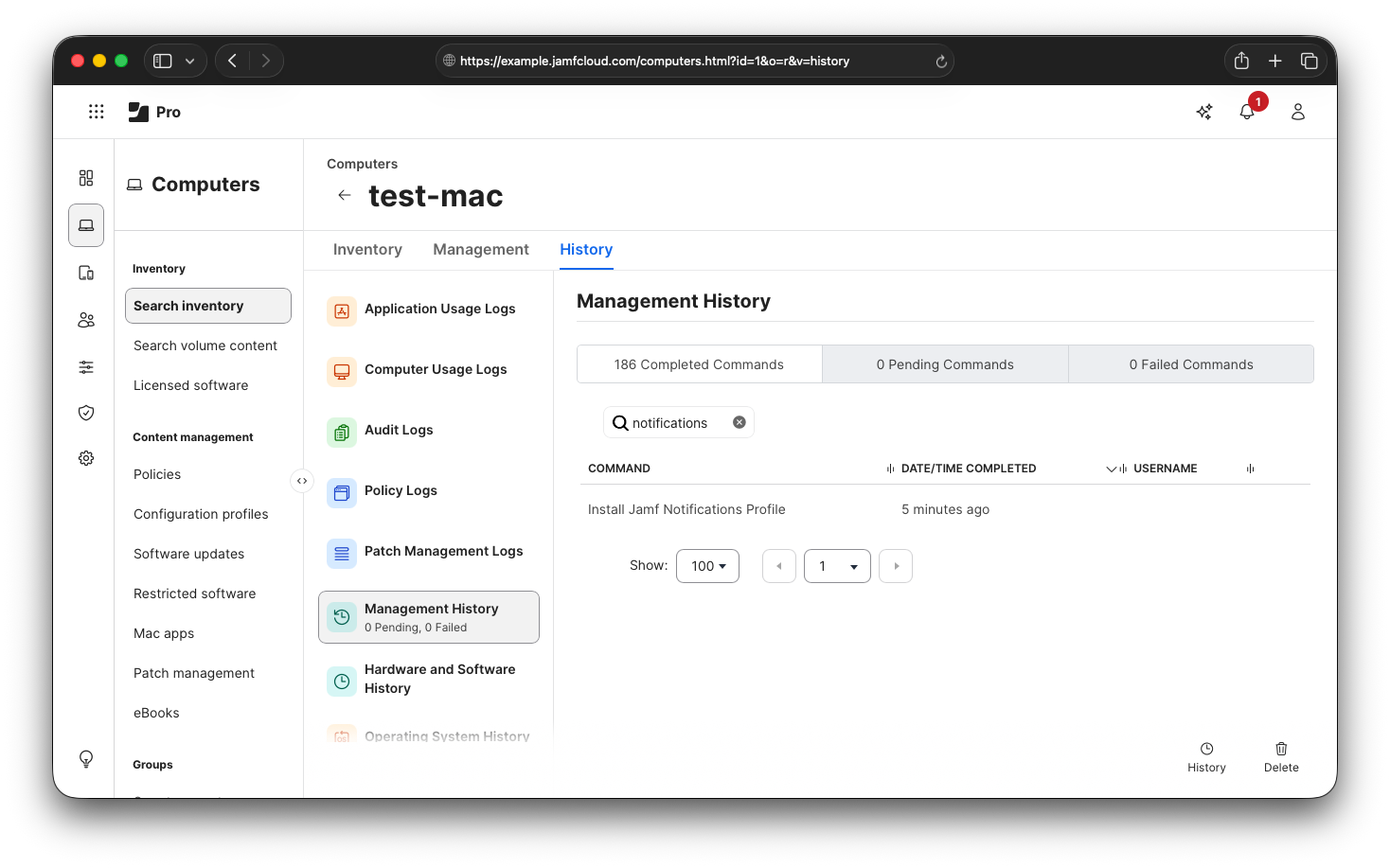
Note: This command only appeared for me after an Inventory Update was completed. Your experience may differ!
What’s different on the device?
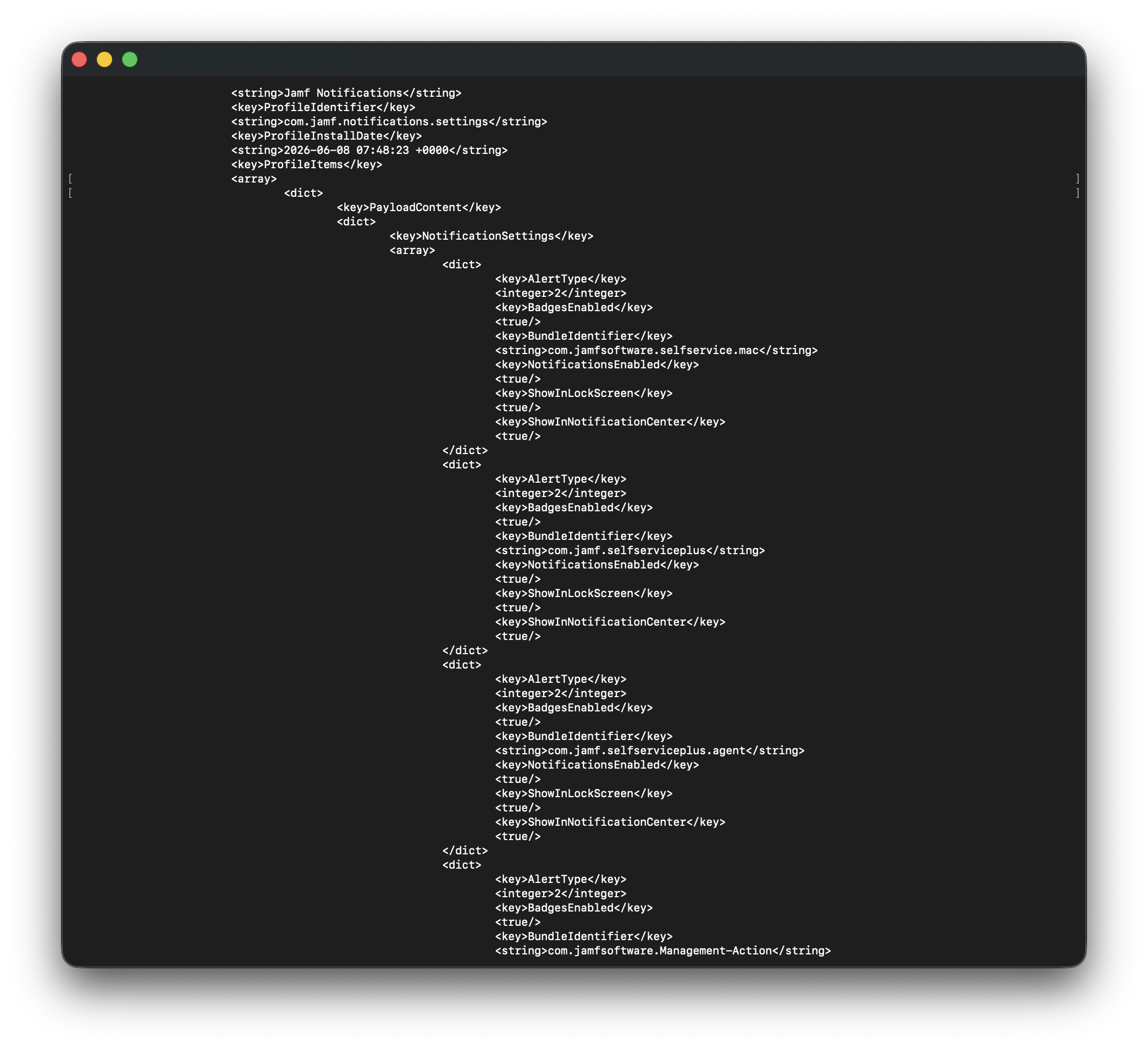
As this is now showing as installed on my device, we can query the profile contents again to see if it’s changed.
1
2
3
4
5
6
7
8
9
10
11
12
13
14
15
16
17
18
19
20
21
22
23
24
25
26
27
28
29
30
31
32
33
34
35
36
37
38
39
40
41
42
43
44
45
46
47
48
49
50
51
52
53
54
55
56
57
58
59
60
61
62
63
64
65
66
67
68
69
70
71
...
    <key>ProfileIdentifier</key>
    <string>com.jamf.notifications.settings</string>
    <key>ProfileInstallDate</key>
    <string>2026-06-08 07:48:23 +0000</string>
    <key>ProfileItems</key>
    <array>
        <dict>
            <key>PayloadContent</key>
            <dict>
                <key>NotificationSettings</key>
                <array>
                    <dict>
                        <key>AlertType</key>
                        <integer>2</integer>
                        <key>BadgesEnabled</key>
                        <true/>
                        <key>BundleIdentifier</key>
                        <string>com.jamfsoftware.selfservice.mac</string>
                        <key>NotificationsEnabled</key>
                        <true/>
                        <key>ShowInLockScreen</key>
                        <true/>
                        <key>ShowInNotificationCenter</key>
                        <true/>
                    </dict>
                    <dict>
                        <key>AlertType</key>
                        <integer>2</integer>
                        <key>BadgesEnabled</key>
                        <true/>
                        <key>BundleIdentifier</key>
                        <string>com.jamf.selfserviceplus</string>
                        <key>NotificationsEnabled</key>
                        <true/>
                        <key>ShowInLockScreen</key>
                        <true/>
                        <key>ShowInNotificationCenter</key>
                        <true/>
                    </dict>
                    <dict>
                        <key>AlertType</key>
                        <integer>2</integer>
                        <key>BadgesEnabled</key>
                        <true/>
                        <key>BundleIdentifier</key>
                        <string>com.jamf.selfserviceplus.agent</string>
                        <key>NotificationsEnabled</key>
                        <true/>
                        <key>ShowInLockScreen</key>
                        <true/>
                        <key>ShowInNotificationCenter</key>
                        <true/>
                    </dict>
                    <dict>
                        <key>AlertType</key>
                        <integer>2</integer>
                        <key>BadgesEnabled</key>
                        <true/>
                        <key>BundleIdentifier</key>
                        <string>com.jamfsoftware.Management-Action</string>
                        <key>NotificationsEnabled</key>
                        <true/>
                        <key>ShowInLockScreen</key>
                        <true/>
                        <key>ShowInNotificationCenter</key>
                        <true/>
                    </dict>
                </array>
            </dict>
...
Rerunning the defaults command to look at the relevant content of the managed notification plist, I can see it’s now containing the Self Service+ bundle IDs, in addition to the previous content:
1
2
3
4
5
defaults read /Library/Managed\ Preferences/com.apple.notificationsettings.plist | grep -i jamf
            BundleIdentifier = "com.jamfsoftware.selfservice.mac";
            BundleIdentifier = "com.jamf.selfserviceplus";
            BundleIdentifier = "com.jamf.selfserviceplus.agent";
            BundleIdentifier = "com.jamfsoftware.Management-Action";
If you also wanted, you can check the contents of the profile in the System Settings UI
Verifying Native Self Service+ Notification Management
Et voilà!
In this instance, all of this should be taken care of behind the scenes for your fleet, and if - like me - you missed the entry in the release notes you might not even know this was happening at all.
Now this is all built in natively, this means you should be able to remove your custom notification profile(s) for Self Service+, to help keep your environments organised and lean. I know it’s only one configuration profile…but you have to start somewhere!