Look Ma, No MDM commands! Deploying VPP apps using DDM
DDM is the standard in Device Management, and you can move to install App Store apps on your devices via Declarative Device Management.
VPP via DDM? When did this come about?
Apple actually released the AppManaged Declaration with the release of iOS/iPadOS 17.2, and it came to macOS with the macOS 26 Tahoe release. You can read more about it in the Apple Developer Docs.
I hadn’t really looked into this too much when it was first released, but since Apple announced during WWDC ‘26 that Declarative device management is the standard for Device Management with the AppleOS 27 releases, this triggered the curiosity and got my time-to-test juices flowing!
By way of disclaimer - all of the testing shown in this post has been done on macOS 26 Tahoe.
How do I do it?
In my testing, there are certain conditions that need to be set before an App Store app will install through DDM.
I’m not sure if these are a result of using a Custom declaration, or how Jamf has implemented VPP.
Or if this is a result of how the com.apple.configuration.app declaration type works on the macOS Platform.
However, those conditions are as follows:
Firstly the app must be available in your MDM already, so you must have gone through Apple Business, purchased licences, and assigned them the appropriate Organisational Unit.
- This is a fairly obvious point, but I’ll mention it anyway. There’s no change here to how you do it today via the MDM channel.
Secondly, the device(s) you’re sending the Declaration to must be in scope of the App before pushing the declaration to the device.
- If you push the declaration to the device before the device is in scope of the App, it won’t install.
- If you subsequently move the device into scope after the declaration has landed on the device, it still won’t install.
- In that situation, you’d need to remove the declaration from the device, and re-push it to achieve the correct order of operations for the app to install.
Got it. So…how do I do it?
Now we’ve got the prereqs out of the way, let’s get to it!
For my testing, I’ve added Slack and Windows App to the VPP applications available in my Jamf Pro server: 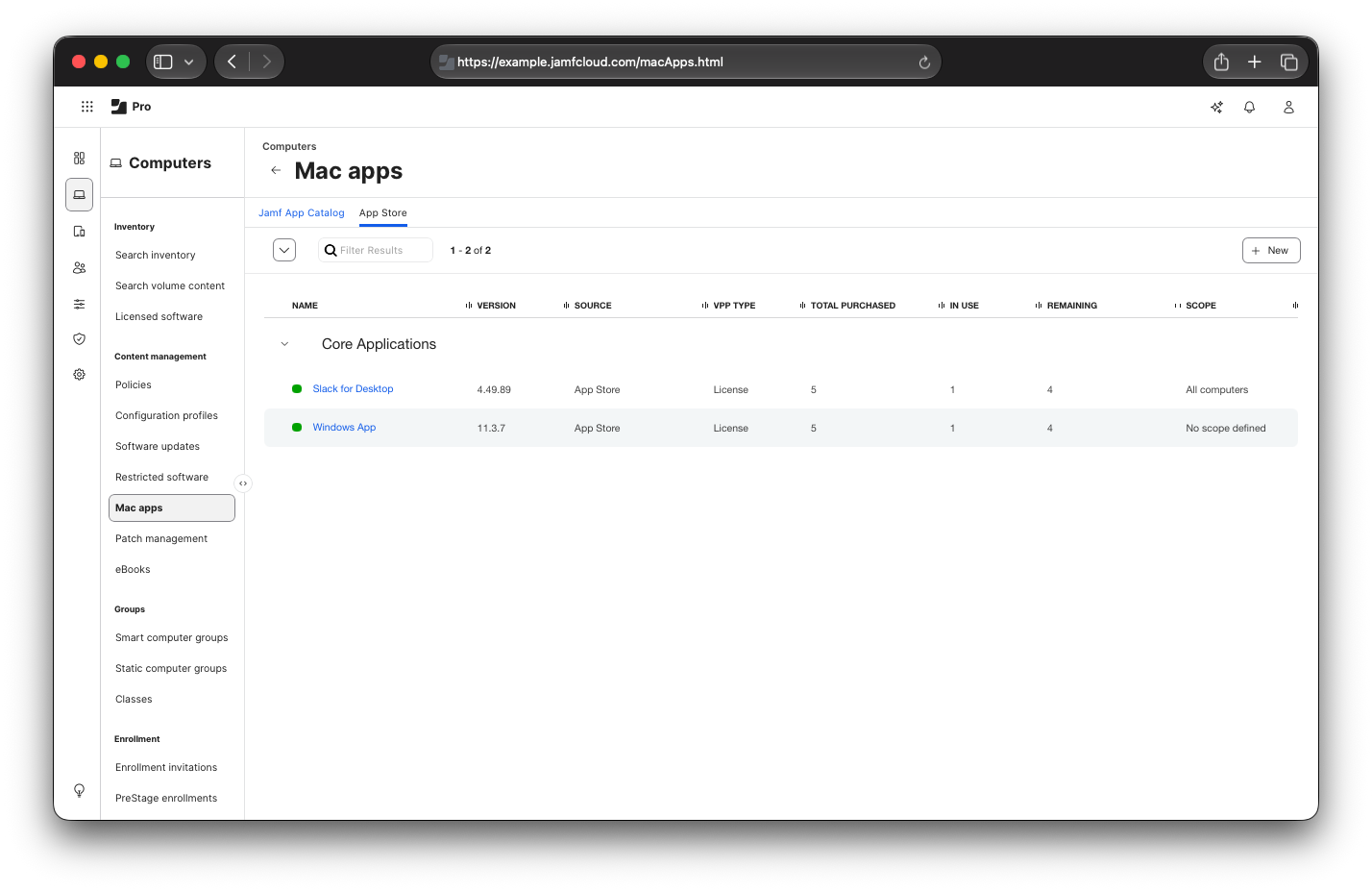
Note that Windows app has “No scope defined”. This will allow me to demonstrate the behaviour when a declaration is installed, but the device is not in scope of the App.
These Apps are configured as “Make Available in Self Service” as the Distribution method, and on my testing device I can see Slack listed in Self Service.
I’ve also opened Finder to the /Applications directory, and we can see Slack is not listed: 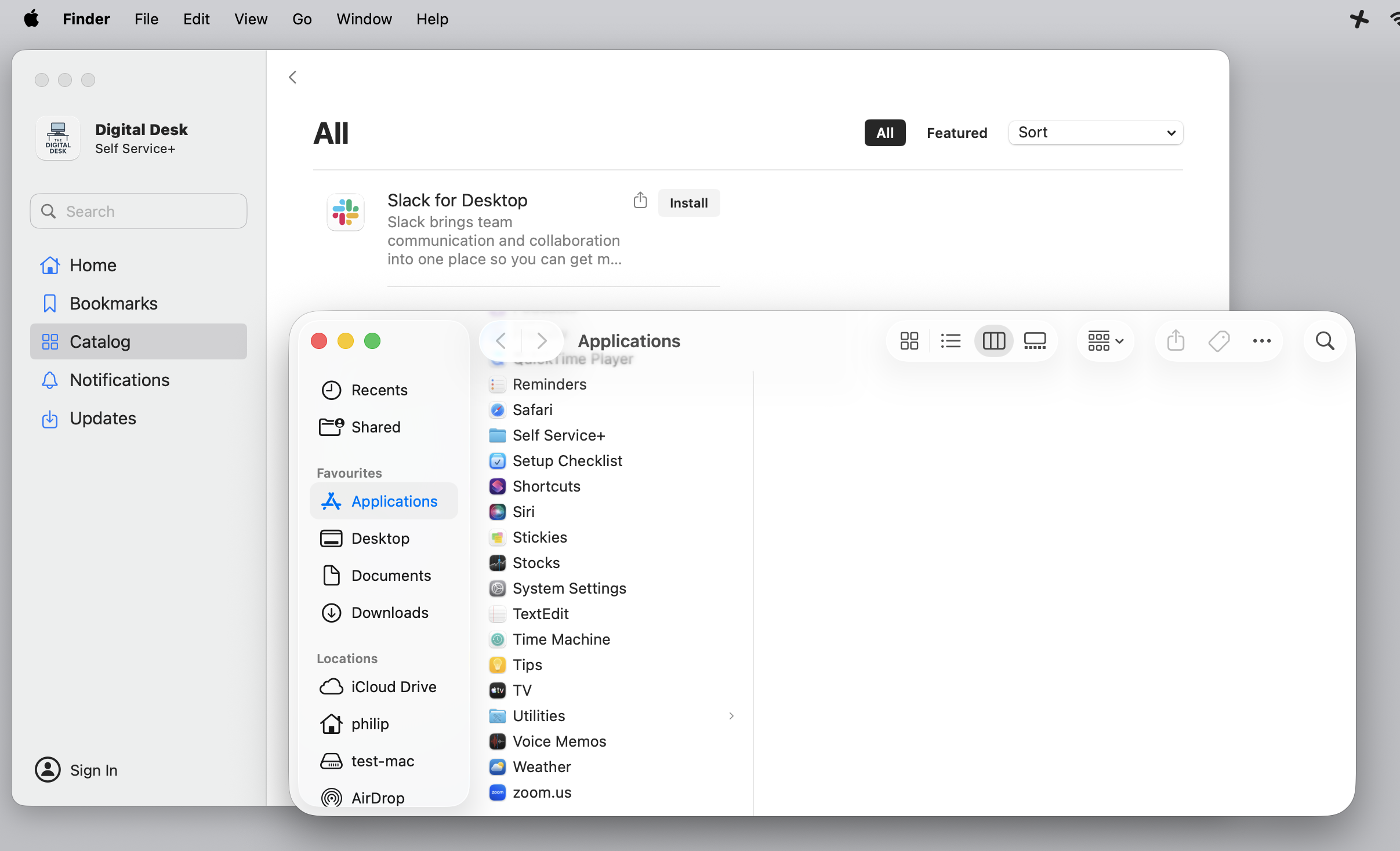
On the device, there’s only one declaration showing for Software Update settings, which is not relevant for this post.
At the time of writing, in Jamf Pro, there is no pre-built Blueprint component available for the com.apple.configuration.app declaration type.
You can see the declaration types are listed in alphabetical order, and the first one is com.apple.configuration.audio-accessory.settings, so it should be before that: 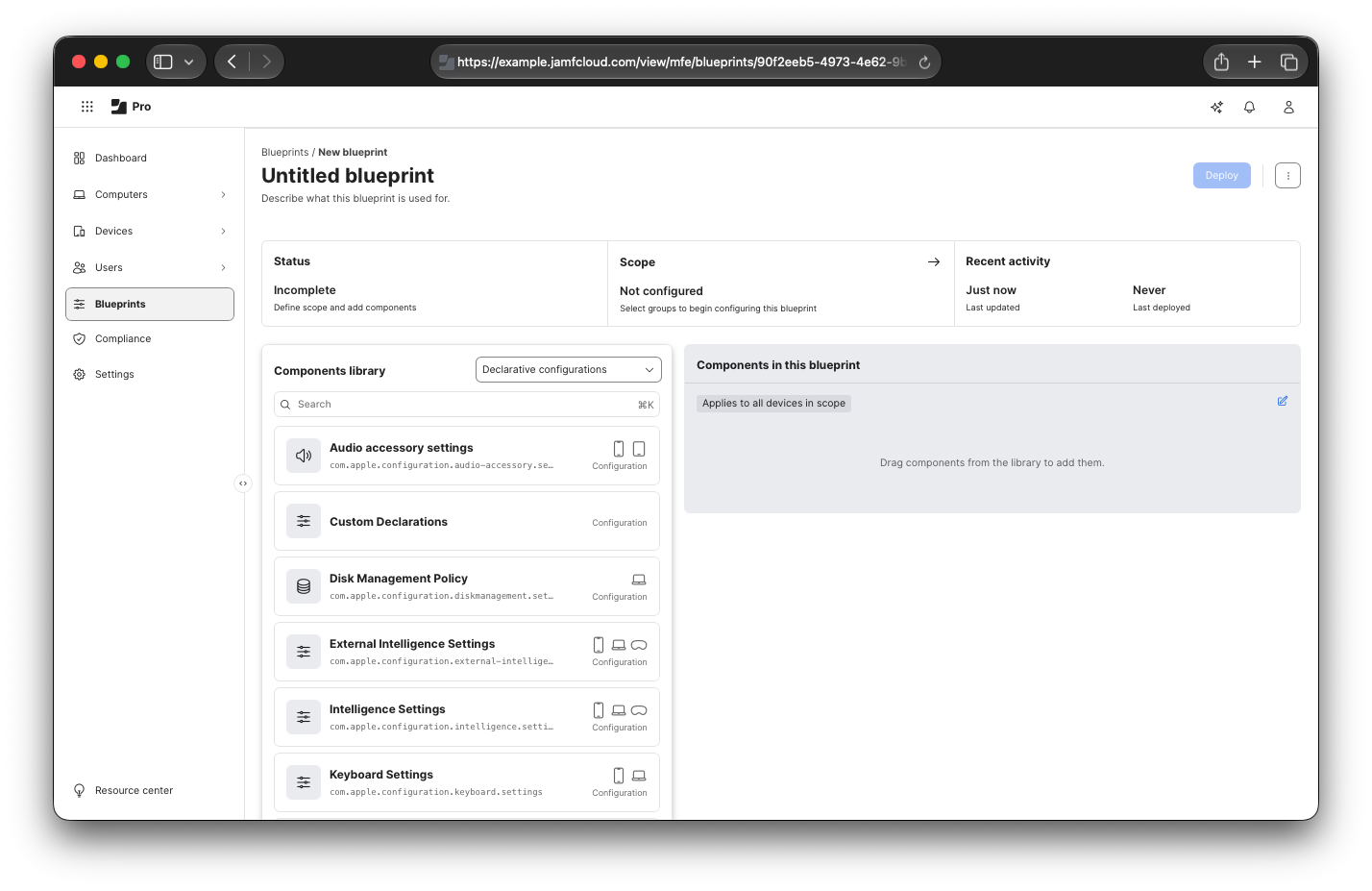
For my Blueprint, I’ve scoped it and deployed it to my test device: 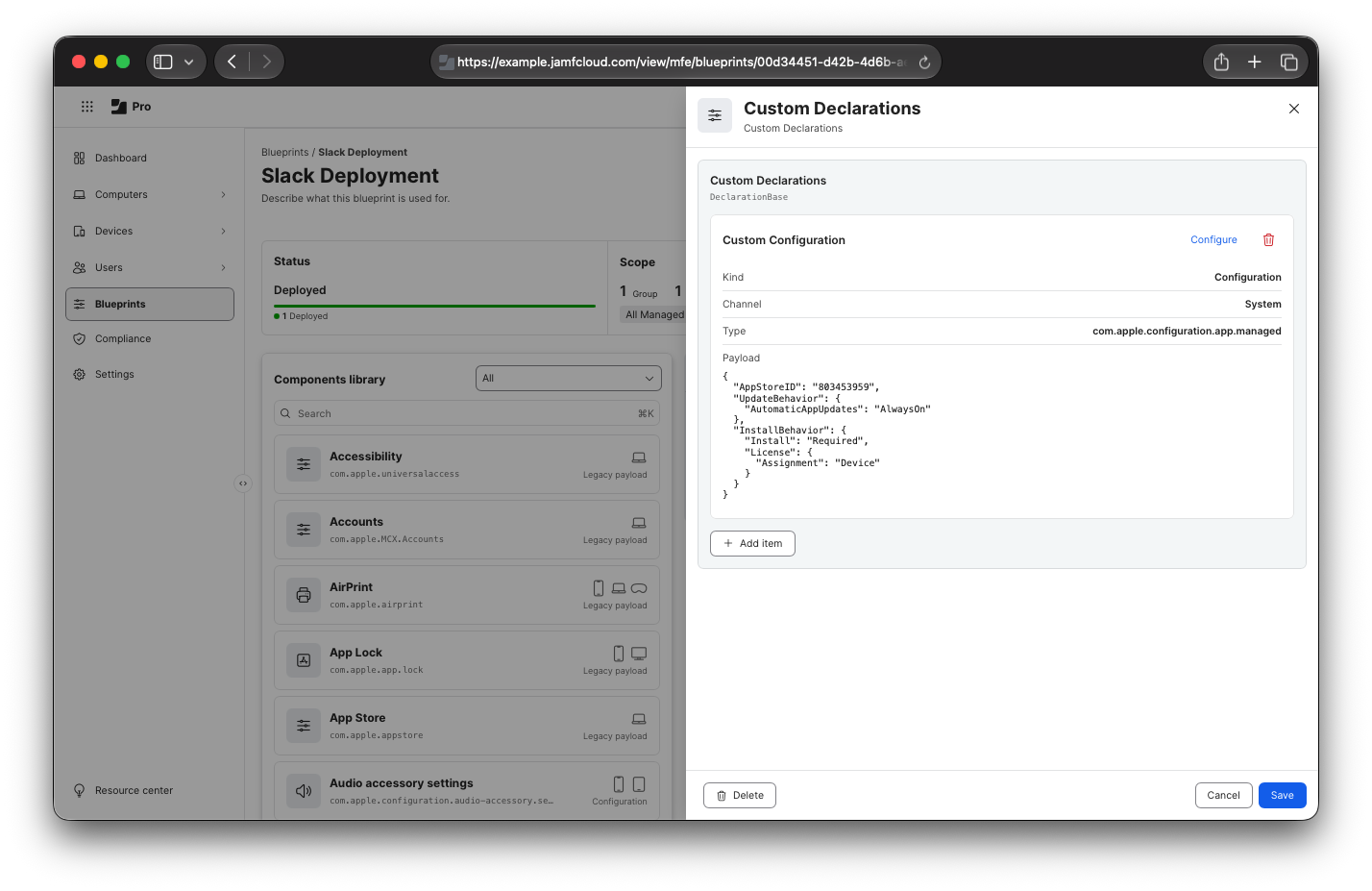
The contents of my custom declaration are:
- Kind: Configuration
- Channel: System
- Type: com.apple.configuration.app
- Payload:
1
2
3
4
5
6
7
8
9
10
11
12
{
  "AppStoreID": "803453959",
  "UpdateBehavior": {
      "AutomaticAppUpdates": "AlwaysOn"
  },
    "InstallBehavior": {
      "Install": "Required",
      "License": {
        "Assignment": "Device"
    }
  }
}
What does it look like client side?
Slack install via DDM - client side
In the recording above it shows that as soon as the Declaration lands on the device, there’s a Slack.appdownload entry in the /Applications directory.
Once the installation is complete, this disappears and is replaced with the Slack.app bundle that we know and love.
This is a huge change from VPP installations over the MDM channel, as this displays progress of the installation directly to the user, without them using specific predicates within the unified logging system.
The App Declaration looks like this when expanded: 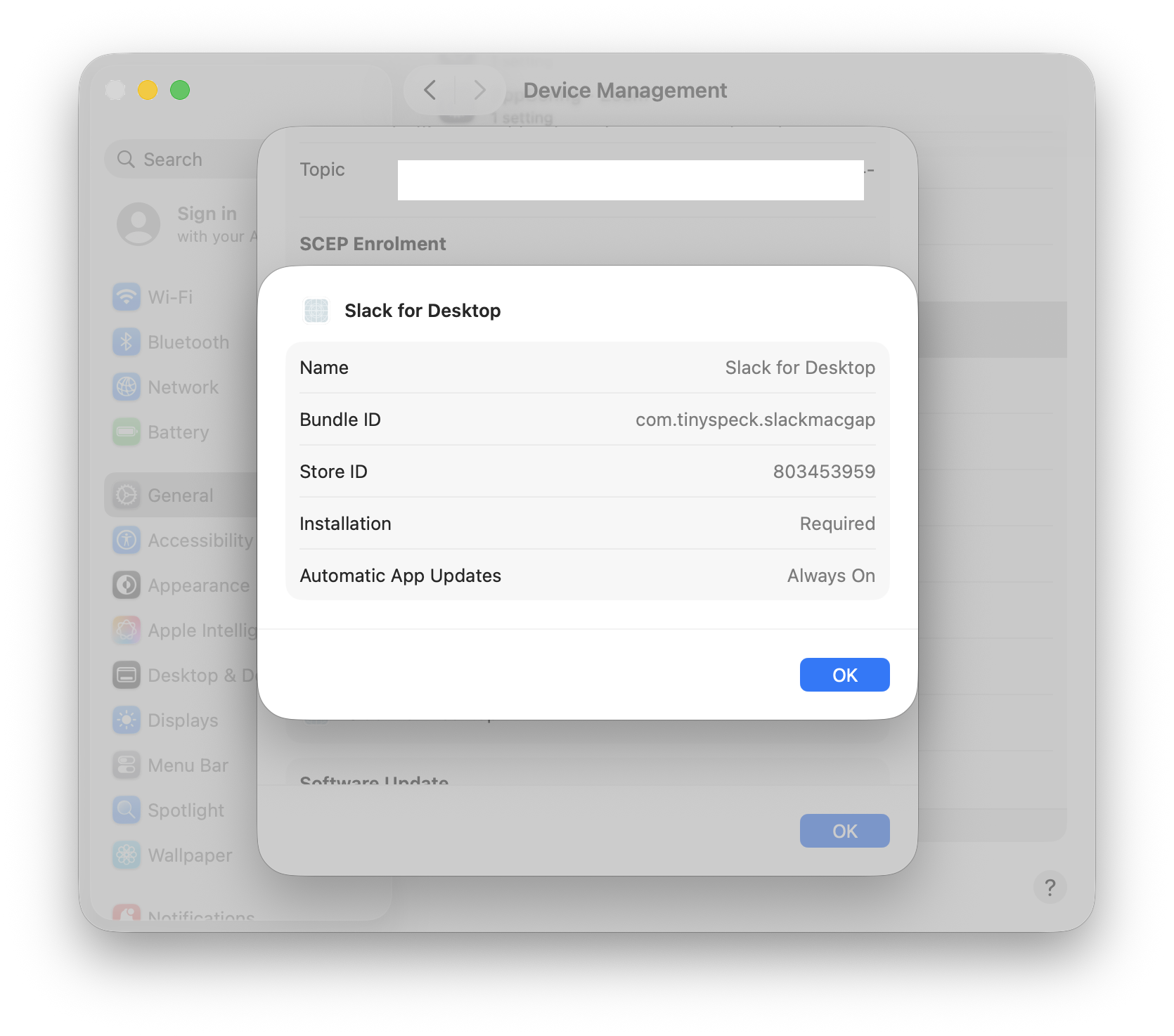
How do I build the Custom Declaration?
Apple’s Developer Docs for this specific Declaration are a great place to start to learn how to structure the declaration payload required here.
There are some keys available that I’ve not included in this post, so this is not an exhaustive example of how this can be done.
To find the AppStoreID value, this is listed in the URL for the App, when viewed in the App Store for Mac in a browser 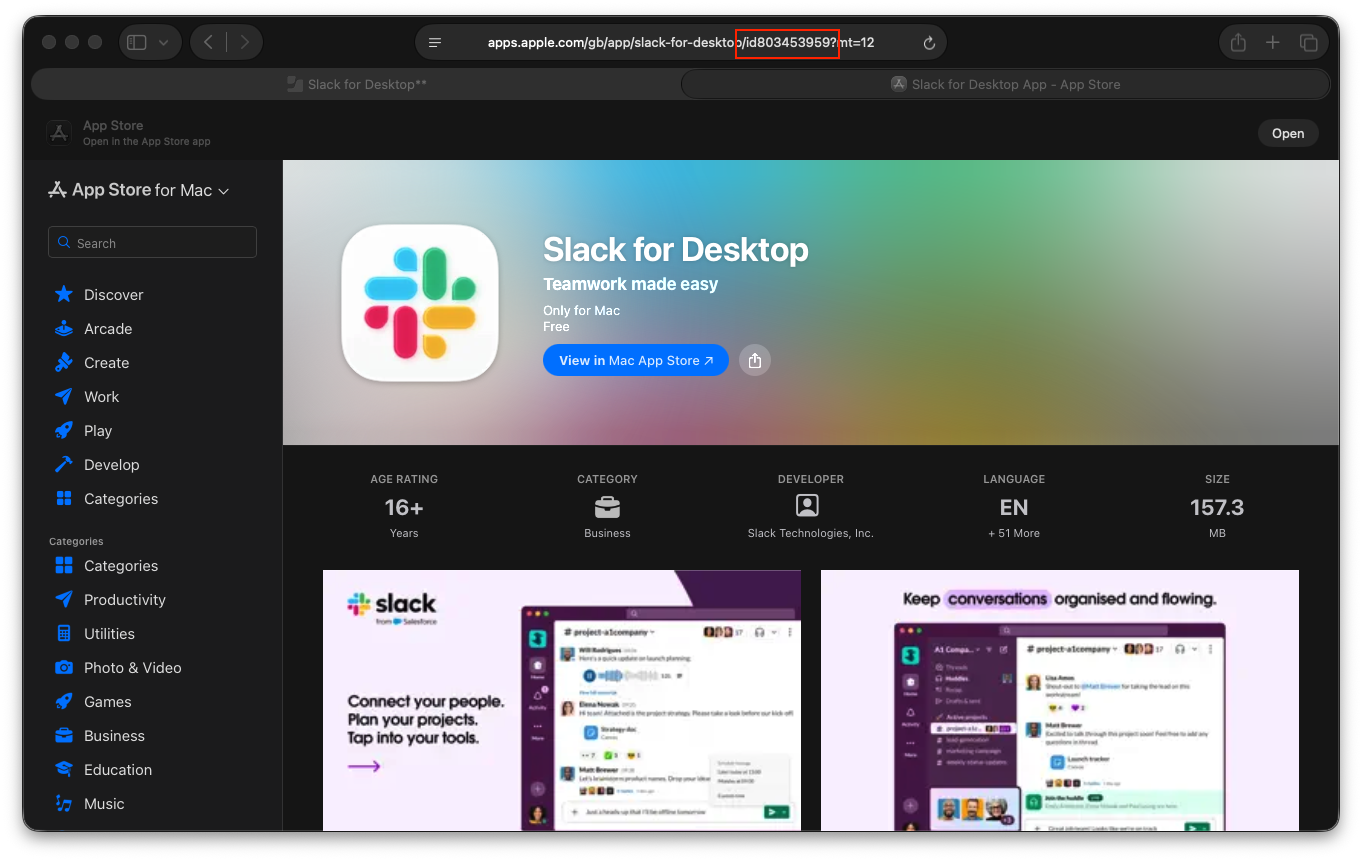 Or, you can also find this same URL on the App record within Jamf Pro: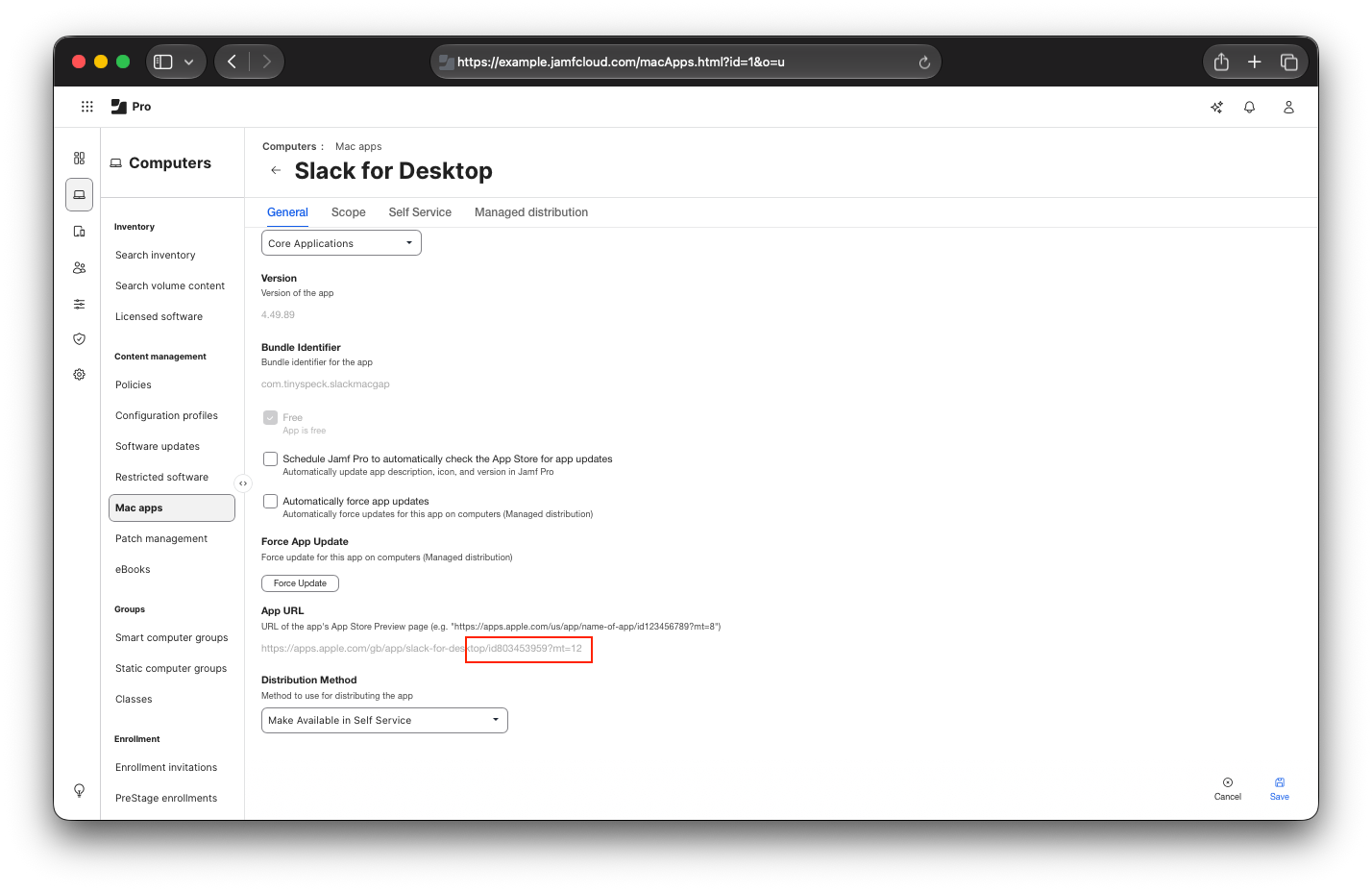
According to the docs, you don’t have to use the AppStoreID value. The docs say:
Only one of
AppStoreID,BundleID,ManifestURL, orAppComposedIdentifierneeds to be present.

AppStoreID and BundleID are applicable to App Store apps, so relevant for using with VPP.
ManifestURL and AppComposedIdentifier are not applicable with App Store apps, so not relevant in the context of this post, but maybe I’ll be able to test these out in future…
What about that Windows App demonstration?
Well remembered! (I didn’t forget, but allow me some showmanship!)
I’ve not changed the scope from earlier - Windows App is still not scoped, and this is what happens if you push a Declaration for it in that situation:
Windows App attempt to install via DDM - client side
How….anticlimactic.
Because the App wasn’t in scope before the Declaration was deployed, the App didn’t start to install.
Nice! But things have changed, and I need to remove an App…
Application requirements in Enterprise are like a non-Newtonian fluid - rarely do they flow at a steady rate, and urgency can change depending on the push from the Organisation.
Using MDM commands to install VPP Applications was great, until it came to remove an Application.
- On iOS/iPadOS, removing the device(s) from the Application scope would trigger it to uninstall
- On macOS, removing the device(s) from the Application scope would leave the Application in place, requiring alternative methods to do the device-side clean up.
HOWEVER…

Using DDM to install a VPP Application now also removes the Application if the declaration is removed from the device!
Slack being removed as Declaration is removed
All I did in Jamf Pro here was remove the device from the Blueprint scope.
Once the declaration was removed from the device, you can see that the /Applications/Slack.app entry was removed instantly, which is a great improvement over the VPP App deployment purely on the MDM channel.
This is great…but I already install via MDM?
I won’t use the Professor Farnsworth GIF again, however do I have some good news for you!
In my testing, if an App is already installed on the device through the MDM channel, you can push the Declaration for the App quite safely over the top and it will take over the Management of the App.
If you then remove the Declaration from the device(s), this will remove the Application like I showed above.
There’s also a consideration that I feel warrants me throwing out the Danger warning here…
I’m not trying to be sensationalist, but please, please, read this bit - you can easily end up in a deployment loop here!
Consider this scenario:
- You use MDM to push out Slack.app via VPP, and you have this set to deploy Automatically
- Slack installs successfully on the device
- You then push out a Declaration to takeover the installation of Slack, and you don’t modify the VPP deployment in your MDM.
- Suddenly, your org decides to move to a new Application and Slack needs to be removed.
- You remove the Declaration, Slack uninstalls from your devices - nice work everyone.
- However, over a period of time, Slack starts re-appearing on your devices!
What’s happened here is that the Declaration removal has actioned the App removal, but because your devices then report to the MDM that they don’t have Slack installed, and it’s configured to install Automatically, it’s been re-pushed over the MDM channel.
Obviously I will recommend testing this in your environment. There are a few ways you can mitigate this, but we’re all busy people so it could be easy for something like this to slip through.
P.S - If there’s anyone from Salesforce reading this, I mean no harm! I used Slack as I was using it for my previous post, and this is a semi-continuation. (And I love Slack ❤️)
That’s all there is to it!
Pretty simple stuff today, but hopefully useful to those who read it.
I’d also like to point out - whilst I’ve used Jamf for testing purposes and creation of screenshots, this should work with any MDM that allows Custom Declarations, or that has built a UI around the com.apple.configuration.app declaration type.
I don’t have access to another MDM to test this, but I’d be happy to help you try this in your own environment if you want to reach out.